See the shoes on your feet, not on a model
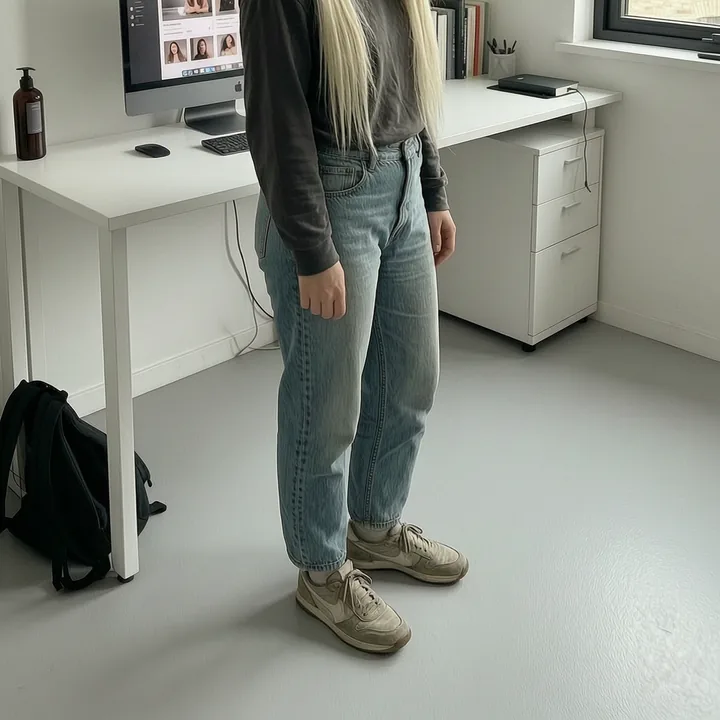
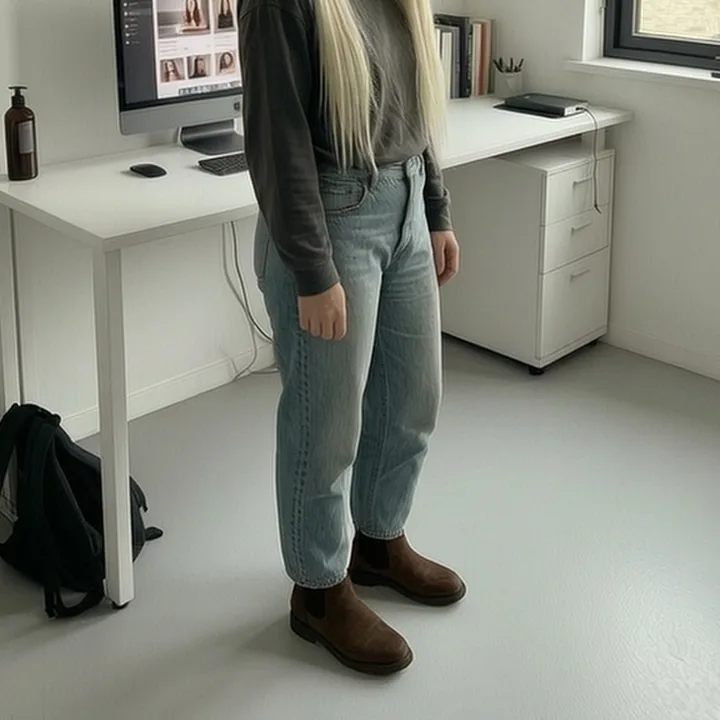
A pair of shoes on a white background tells you nothing about whether they work with your legs, your trousers or the way you actually dress. respecced puts them on your own feet from one full-length photo, in about twelve seconds, so you can judge them the way you will actually see them.
Why a product photo is the wrong picture
Shoes are photographed to flatter the shoe. Three-quarter angle, plain backdrop, nothing above the ankle. That picture is designed to answer "are these nice", when the question you actually have is "are these nice on me, with what I wear".
Almost everything that decides whether a pair works happens outside the frame of a product shot: how high they sit against your ankle, how they read against the colour of your trousers, whether a chunky sole suits your proportions. You cannot get any of that from a catalogue image, which is why so many pairs go back.
Try a specific pair from a listing
The ready-made styles cover the usual shapes, but the one people use most is "try these trainers", which takes a photo of a particular pair and puts that pair on you. A resale listing, a shop page, or a photograph you took of the shelf.
It uses the shoe and nothing else: not the seller's floor, not their lighting, not the model's legs. Your photo stays exactly as it was, with your own trousers and your own stance, and only what is on your feet changes.
What the photo needs
Both feet in frame and reasonably lit. That is the only real requirement and the only one worth stating, because a preset cannot change something the camera did not capture. Stand square on, phone at about waist height, and make sure the picture ends below your shoes rather than at your ankles.
If the feet are not visible, respecced tells you so before spending a credit rather than handing back a picture with nothing changed in it.
How it works
A selfie is enough. Face on, decent light, everyday clothes. Software screens it before anything happens; no person sees it.
Pick from presets. There is nothing to type and nothing to learn.
Slide between before and after, keep what you like, stack another change, download.
Options you can tap
Questions
Can I try a pair I found on a resale site?
Yes. That is what "try these trainers" is for. Save the listing photo and it goes on your feet.
Does it change anything else about the photo?
No. Only the shoes. Your trousers, your stance, the background and the lighting are untouched.
My feet were not in the photo. What happens?
You are told before anything is charged. A shoe cannot be put on feet the camera did not see.
Is it free?
Yes, to start with. You get a few free respecs on your first visit with no account and no card; after that you buy credits or subscribe.
Want to try it on yourself?
Upload one photo and see it in about twelve seconds. A few free respecs to start, no account and no card. Adults only; your photos stay private, every image is checked, and photos and results are deleted after 24 hours.
Try it free